This page contains an affiliate link. See full disclosure.
▶ PLAYVERO

PLAYVERO Review: A cheap, easy upgrade for an old TV, not a free replacement for Netflix

I plugged PLAYVERO into a ten-year-old bedroom TV and used it daily for three months. Here is what it actually does well, where it falls short, and who should skip it.

★★★★☆ 4.2/5 Michelle Hert's hands-on rating
Check Availability ›

60-day money-back guarantee · $28.99 · Ships from official checkout
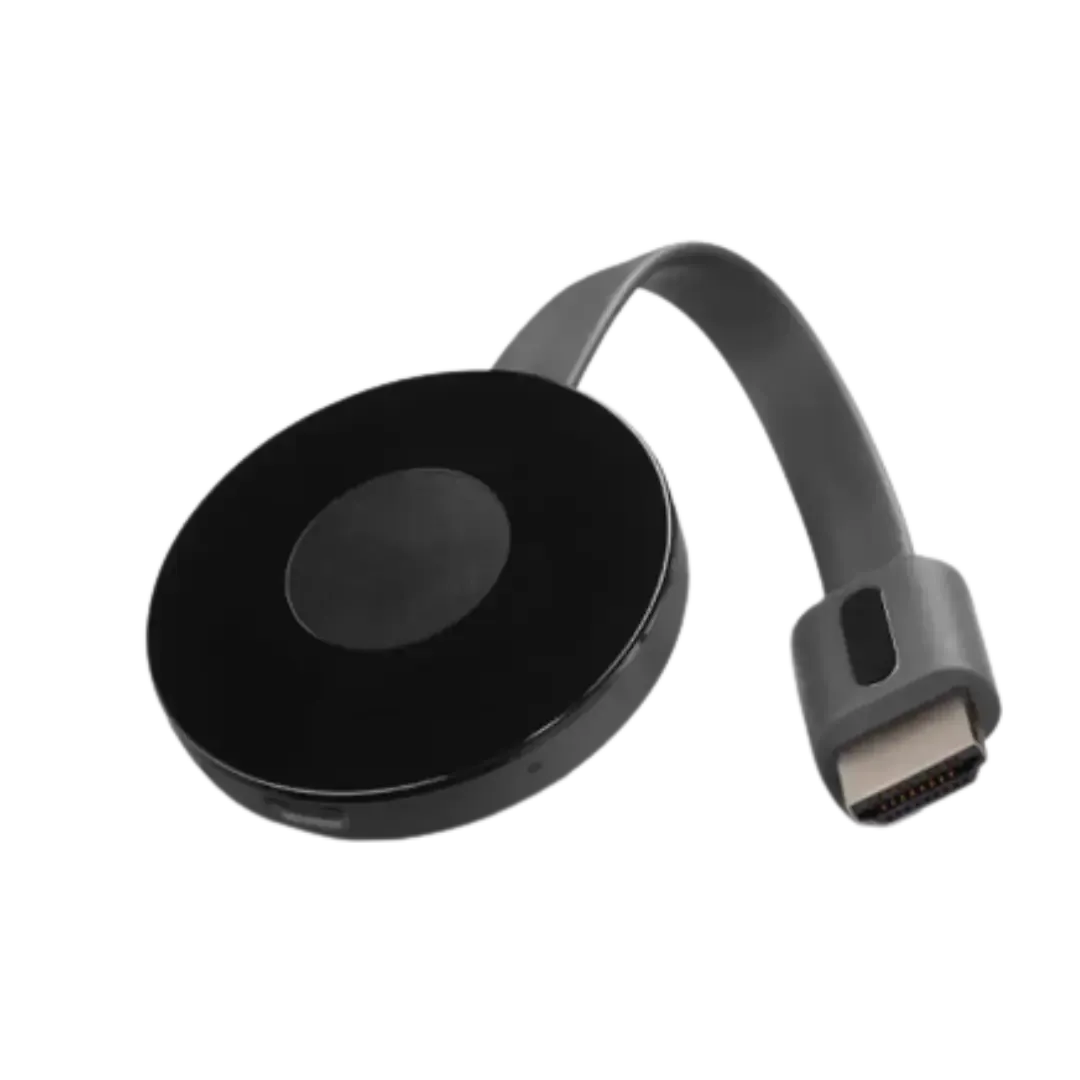
PLAYVERO HDMI streaming stick with cable, product photo

PLAYVERO device, as sold at checkout

60 DaysMoney-back guarantee
$28.99Single-unit price
3 MonthsIndependent hands-on testing
Full DisclosureHonest affiliate review

What is PLAYVERO

A small HDMI stick that turns any TV into a streaming hub

PLAYVERO is a compact dongle that plugs directly into your TV's HDMI port and connects to your Wi-Fi network. Once it's set up, it gives the TV an app store, a simple remote, and access to both free ad-supported channels and whatever streaming apps you already use.

It's built for one specific job: adding smart-TV style streaming to a television that doesn't already have it, without buying a new TV.

Living room with a TV mounted above a fireplace

How it works

Three steps, no cable box, no technician

The box includes the PLAYVERO stick, a USB power cable, and a printed quick-start guide.

1

Connect to your TV

Plug PLAYVERO into a free HDMI port on your TV and power it with the included USB cable.

2

Join your Wi-Fi

Select your home network and enter your password on screen. This is the only step that requires typing.

3

Open an app and stream

Launch a free channel or sign into an app you already pay for, from the same home screen.

The honest part

Real pros and real cons

A device this cheap is not going to be perfect. Here is what stood out after three months, both good and bad.

What's genuinely good

  • At $28.99, it costs far less than a new smart TV or a name-brand streaming box.
  • Works with any TV that has an HDMI port, including sets that are 10+ years old.
  • Setup takes a few minutes and needs no technical knowledge.
  • Small and portable, easy to move between rooms or pack for travel.
  • Backed by a 60-day money-back guarantee if it doesn't work out.

What you should know before buying

  • It does not replace what you already pay for. Netflix, Disney+, live sports, etc. still need your own paid account inside their apps.
  • We could not find an established company behind the brand. Buy only through the official checkout link, and don't expect retail-style support like Roku or Amazon offer.
  • The sales page uses urgency tactics (countdown timers, "today only" pricing). Treat those claims with healthy skepticism.
  • Hardware and picture quality are typical of a budget Android streaming stick, not premium 4K/HDR gear. If you own a Fire TV Stick 4K or Chromecast with Google TV already, PLAYVERO won't beat it.
  • No ethernet option and no confirmed long-term software update schedule; it depends entirely on Wi-Fi.

Is it for you

Who should buy PLAYVERO, and who shouldn't

Good fit

  • You have an older TV with no smart features and don't want to replace it.
  • You want a cheap, extra streaming device for a spare room, rental, or RV.
  • You're comfortable installing and managing your own apps and accounts.
  • You're fine trying it for up to 60 days and returning it if it's not a fit.

Skip it if

  • You expect it to replace Netflix, cable, or live sports subscriptions for free.
  • You want guaranteed 4K/HDR picture quality and years of software updates.
  • You only trust buying from a well-known, established brand.
  • You need a wired ethernet connection instead of Wi-Fi.
Father and son watching TV together on the couch

Real-world use

Where it actually earns its keep

The clearest win in my testing was the guest bedroom TV nobody wanted to spend money upgrading. Plugging in PLAYVERO gave it an app store overnight, without a new TV or a cable technician visit.

It's a reasonable pick for a second TV, a rental, or a relative who still pays for a cable box but barely uses half the channels. It is not a one-device fix for a household's entire entertainment bill.

Pricing

What PLAYVERO costs

The official checkout offers three bundle sizes. Buying more than one lowers the price per unit.

🚚 UPS Ground Shipping · estimated delivery in 3–5 business days

Check Availability ›

Backed by a 60-day money-back guarantee. Final bundle and total are confirmed at checkout.

FAQ

Questions people actually ask

Can PLAYVERO really replace cable TV and paid streaming services?

Not entirely. PLAYVERO gives your TV an app store and easy access to free, ad-supported channels, similar to any Android-based streaming box. Paid services like Netflix or live sports packages still require your own subscription inside their apps. What it reliably replaces is the need for a traditional cable box.

How fast can I start watching?

Setup takes a few minutes. Plug PLAYVERO into your TV's HDMI port, connect it to your Wi-Fi network, and follow the on-screen steps. Most people are streaming the same day it arrives.

Do I need a smart TV or special apps?

No. PLAYVERO works with any TV that has an HDMI input, including older TVs without smart features.

Can I really save money with PLAYVERO?

It can remove the need to rent a cable box, and free ad-supported apps cost nothing to use. It will not automatically cancel your existing paid subscriptions. Any extra savings depend on which services you choose to cancel yourself.

Can PLAYVERO be used abroad?

It should work anywhere you have a stable Wi-Fi connection, though which apps and channels are available can vary by country.

Can I buy more than one?

Yes. The official checkout offers a multi-unit discount option. The exact price per unit for larger orders is shown at checkout before you pay.

Is PLAYVERO difficult to set up or use?

No. It's designed to be plug-and-play, with a printed quick-start guide included in the box, and most first-time users need no technical help.

How do I return it and get my money back?

Contact customer support through the official checkout site. PLAYVERO is sold with a 60-day money-back guarantee according to the seller's return policy.

Who wrote this

Michelle Hert, author of this PLAYVERO review

Michelle Hert

Consumer Tech Reviewer · Tested PLAYVERO for 3 months

Michelle used PLAYVERO daily on a ten-year-old bedroom TV for three months before writing this review, testing setup, everyday streaming, and the return process.

Last updated: September 21, 2026.

Affiliate disclosure: This page contains an affiliate link. If you buy PLAYVERO through it, I may earn a commission at no extra cost to you. I only recommend products I've personally tested, and the pros and cons above reflect my own experience, not the seller's marketing claims.

Still deciding on PLAYVERO?

At $28.99 with a 60-day money-back guarantee, the main risk is a few minutes of setup time, not your wallet. Try it on your oldest TV first.

Check Availability ›
🛡 60-Day Money-Back Guarantee
$28.99 · 60-day guarantee ★★★★☆ 4.2/5
Check Availability